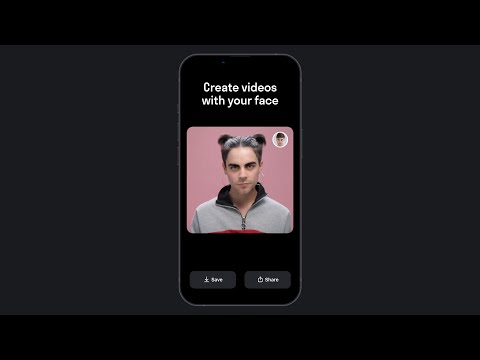
Reface.ai is a popular picture and video reface app that allows users to swap faces in videos and images with celebrities or other people. The app uses deep learning algorithms to create realistic and seamless face swaps, which has made it popular among people who want to create funny videos, memes, or pranks.
Description
The app has a user-friendly interface and is available for both iOS and Android devices. Users can either choose an existing video or image from their gallery or record a new one using the app’s camera. They can then select a face from a wide range of celebrities, actors, musicians, and other public figures, or upload their own images to create a custom face swap.
Reface.ai uses deep learning models to map the facial features of the original video or image and the selected face to create a realistic and seamless swap. The app’s advanced technology allows for accurate tracking of facial movements, ensuring that the new face moves and emotes naturally in the video or image.
While Reface.ai is primarily used for entertainment purposes, it has also been used for more serious applications, such as creating realistic simulations for medical training or visualizing historical figures in documentaries.

Pros and Cons
Pros:
- Easy-to-use interface: Reface.ai has a user-friendly interface that makes it easy to use for people of all ages and tech skills.
- Advanced technology: The app’s deep learning algorithms create realistic and seamless face swaps that are often indistinguishable from the original footage.
- Wide range of face options: The app offers a wide range of celebrities, actors, musicians, and other public figures to choose from for face swaps, as well as the option to upload custom images for a personalized experience.
- Fun and entertaining: Reface.ai is a great way to create funny videos and memes, and its special effects and music options add to the entertainment value.
- Shareable on social media: The app allows users to share their creations directly on social media platforms, making it easy to show off their work to friends and followers.
Cons:
- Limited functionality: While Reface.ai is great for creating face swaps, it is limited in terms of its overall functionality and features.
- Free version limitations: The app’s free version has several limitations, such as watermarks on videos, limited access to features, and a limited number of swaps per day.
- Privacy concerns: The app requires access to your camera and photos, which may raise privacy concerns for some users.
- Occasional glitches: As with any app, Reface.ai may have occasional glitches or errors that can affect the quality of the face swaps.
- Limited customization: While users can upload custom images for face swaps, there are limits to how much customization can be done beyond that.
Ratings and Reviews
Ratings and reviews for Reface.ai are generally positive, with many users praising the app’s advanced technology and entertainment value. The app has received an average rating of 4.8 stars out of 5 on the Apple App Store, based on over 480,000 ratings, and 4.3 stars out of 5 on the Google Play Store, based on over 1 600,000 reviews.

Many users appreciate the app’s ease of use and the wide range of face options available for face swaps. They also enjoy the app’s special effects and music options, which add to the entertainment value. Some users have praised the app for being an excellent tool for creating funny videos and memes, while others have used it for more serious applications, such as creating simulations for medical training or historical documentaries.
How to use this app
To use this tool for creating face swap videos, follow these step-by-step instructions:
- Download and install the app on your mobile device. It is available for both Android and iOS. You can find the app on the Google Play Store or the Apple App Store.
- Launch the app on your device.
- Take a selfie or upload a photo of your face. The app will use this photo to swap your face onto the chosen video or image.
- Browse through the available video and image templates within the app, and select the one you want to use for the face swap.
- Wait for the app to process the face swap. The AI technology will replace the original face in the template with your face.
- Once the face swap is complete, you can preview the result within the app.
- Share your face swap video or image with friends and on social media platforms directly from the Reface app.
The 5 Best AI Apps Like Reface.ai
Here are five AI apps that are similar to Reface.ai:
- FaceApp: FaceApp is an AI-powered app that allows users to transform their face with a wide range of filters and effects. The app uses deep learning algorithms to create realistic transformations, such as adding a smile or changing hair color.
- Zao: Zao is a face-swapping app that allows users to superimpose their face onto popular movie and TV show scenes. The app uses AI to map the user’s face onto the scene, creating a seamless and realistic effect.
- MyHeritage: MyHeritage is a genealogy app that uses AI to create a family tree and search historical records for information about ancestors. The app uses facial recognition technology to match users with historical figures who resemble them.
- Prisma: Prisma is an app that uses AI to transform photos into works of art. The app applies a variety of filters that simulate the styles of famous artists, such as Van Gogh or Picasso, to create unique and visually stunning images.
- Deep Art Effects: Deep Art Effects is an AI-powered app that allows users to transform their photos into artistic styles. The app uses deep neural networks to simulate the style of famous artists, such as Salvador Dali or Edvard Munch, to create a unique and visually striking image.
| Rank | AI Face Swap Video Tool | Features |
|---|---|---|
| 1 | DeepFaceLab | Convert human face to avatar’s face |
| 2 | Deep Nostalgia | One-click face swap in images/videos |
| 3 | FakeYou | Face swap generator for videos, photos, and GIFs |
| 4 | Deep Video Portraits | One-click face swap in videos |
| 5 | MachineTube | Face-swapped images/videos |
| 6 | ZAO Deepfake | Convert human face to avatar’s face |
| 7 | Reface | Realistic face swap videos, GIFs, and memes |
| 8 | DeepSwap | User-friendly & easy-to-use |
| 9 | Swapface (real-time deepfakes) | Easy-to-use, requires mid-range graphics card |
| 10 | FaceSwap | Swap human, animated, and toon faces |
| 11 | DeepBrain | Custom pricing for unlimited credits |
| 12 | Movio | Convert human face to avatar’s face |
| 13 | Videopad | Easy-to-use & professional video editing tools |
| 14 | FaceHub | One-click face swap in images/videos |
| 15 | DeepSwap.ai | Face swap generator for videos, photos, and GIFs |
Each of these AI apps offers unique features and capabilities, but all share the common thread of using advanced technology to enhance and transform visual media.
Conclusion
Overall, Reface.ai is a fun and easy-to-use app that has gained popularity for its advanced technology and ability to create realistic face swaps. It is an excellent tool for people who want to create funny videos and memes or explore creative and personalized ways to express themselves through visual media.
We hope this review was helpful to you!
FAQ
How do you rate this tool?